A good WiFi signal strength is −67 dBm or better, and anything from −30 to −60 dBm is excellent. Around −70 dBm things still work but slow down, and by −80 dBm video calls freeze and pages stall. The numbers are negative, so closer to zero is stronger: −55 dBm is better than −75 dBm.
WiFi signal strength chart
- −30 to −50 dBm: excellent. You are close to the router; nothing will be faster.
- −50 to −60 dBm: very good. 4K streaming, calls and gaming all comfortable.
- −60 to −67 dBm: good. Reliable for video calls.
- −67 to −70 dBm: fair. Fine for browsing and HD video; calls may wobble.
- −70 to −80 dBm: weak. Slow pages, buffering, dropped calls.
- Below −80 dBm: unusable for most things; the connection may drop.
The −67 dBm line is not arbitrary: it is the level Cisco recommends as the edge of coverage for voice over WiFi in its network design guidance (Cisco). Home networks don’t need office-grade planning, but it is a good target for the rooms where you make calls.
What dBm actually means
dBm compares the power your device receives with one milliwatt. WiFi signals arrive far weaker than a milliwatt, so the values are negative. The scale is logarithmic: every 3 dB is roughly double or half the power, and every 10 dB is ten times. So −60 dBm is ten times stronger than −70 dBm, which is why a few dBm can make a visible difference.
The bars on your phone round this off into three or four steps, and phone makers draw the lines in different places. Two phones showing full bars can be 15 dBm apart.
Signal is not the whole story
A strong signal only helps if it stands out from the background noise and from neighbouring networks on the same channel. A −60 dBm signal on a channel crowded with strong neighbours can perform worse than −68 dBm on a quiet one. If the signal is good and speed is still poor, check the channel next; see how to find the best WiFi channel.
How to check your signal in dBm
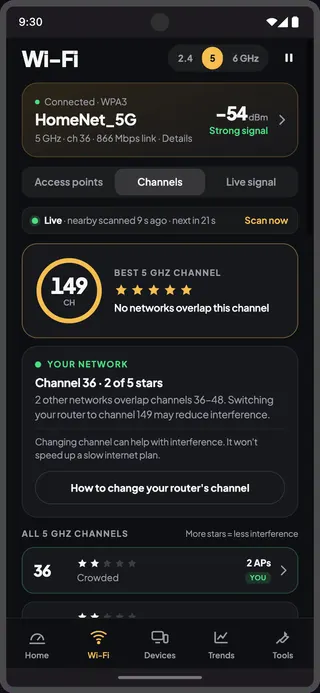
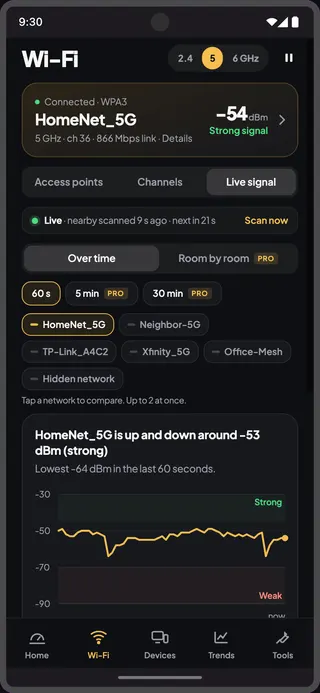
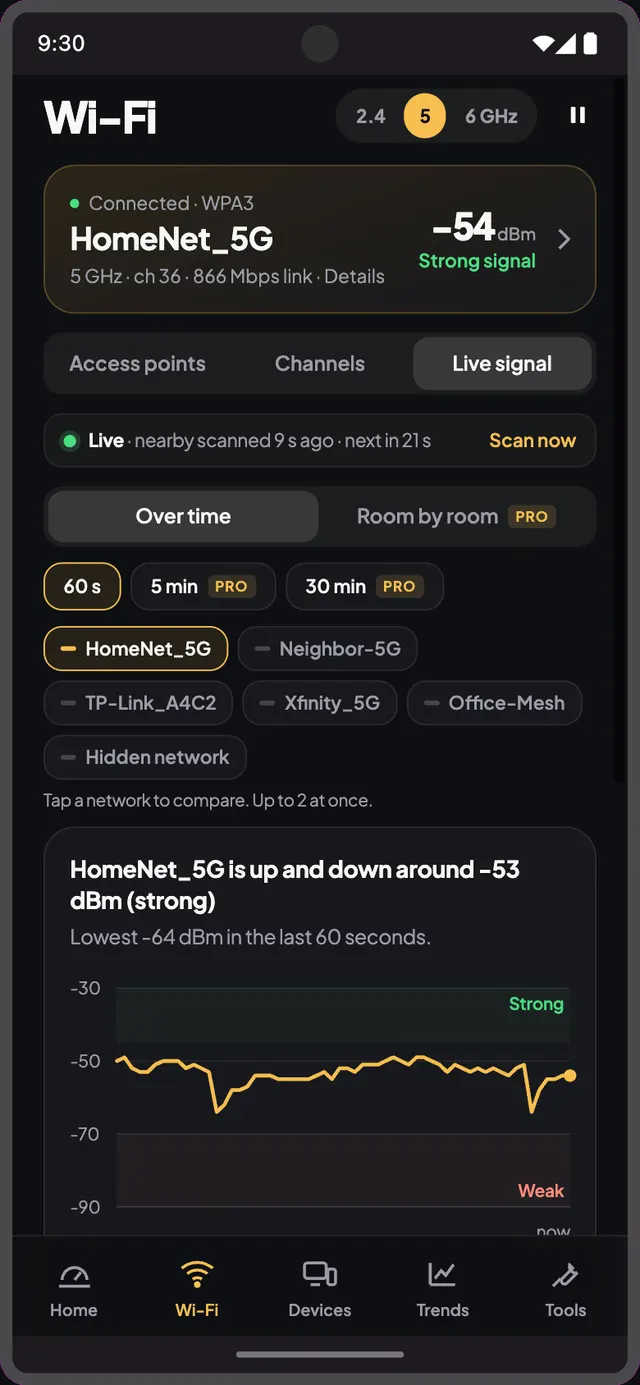
On Android, WiFiy shows your connected network’s strength in dBm, updated every second, and draws it on a graph as you walk; 60 seconds at a time is free. It also lists every nearby access point with its own signal, channel and band. Some Android phones show dBm in their developer or WiFi details screens too; how to check WiFi signal strength on Android covers both.
On iPhone, Apple doesn’t let any app read signal strength. WiFiy shows how fast your router responds instead, which rises where the signal is weak.
How to improve a weak signal
- Move the router up and out. Off the floor, out of cupboards, as central as the cable allows. Google’s own placement advice for its routers is the same: elevated, central, with a clear path (Google Nest Help). See the best place to put your router.
- Use the right band. 5 GHz is faster but fades sooner through walls; in a far room, 2.4 GHz may hold a stronger signal.
- Remove obstacles. Metal, mirrors, fish tanks and appliances between the router and the room cost more than plasterboard.
- Add coverage last. If the room is still below −70 dBm, a mesh point placed halfway to it is the right purchase; see mesh WiFi vs extender.
Measure the same spot before and after each change, so you know which one helped.
Signal strength on 2.4, 5 and 6 GHz
The same router gives different readings on each band. 2.4 GHz travels further and through more walls, so it usually shows a stronger signal in far rooms. 5 GHz and 6 GHz carry much more data but fade faster, so a reading of −70 dBm on 5 GHz may sit next to −60 dBm on 2.4 GHz in the same spot.
That doesn’t mean 2.4 GHz is always better there. A slightly weaker 5 GHz signal is often still faster, because the band is less crowded and the channels are wider. Compare speed, not only dBm, before you decide which band a device should use; 2.4 GHz vs 5 GHz WiFi explains the trade-off.
Why your phone and laptop disagree
Different devices have different antennas, and they are held in different positions. A laptop with large antennas in its lid often reads several dBm better than a phone in a pocket in the same spot. Compare readings from the same device, in the same position, when you test changes.