WiFi analyzer app Find out why your WiFi is slow, not just that it is.
WiFiy runs the checks a technician would run, in about thirty seconds, and ends every screen with a verdict and the one thing to do next.
A speed test alone can’t tell you what’s wrong.
A low number on a speed test could mean four different things: the plan is under-delivering, the router is on a crowded channel, the signal is weak where you are standing, or one device is eating the connection. Each has a different fix, and only one of them is worth calling your provider about.
A WiFi analyzer looks at all four at once. WiFiy tests your speed against the plan you pay for, rates every channel around you, lists every device on your network and shows your signal live, so you can rule things out instead of guessing.
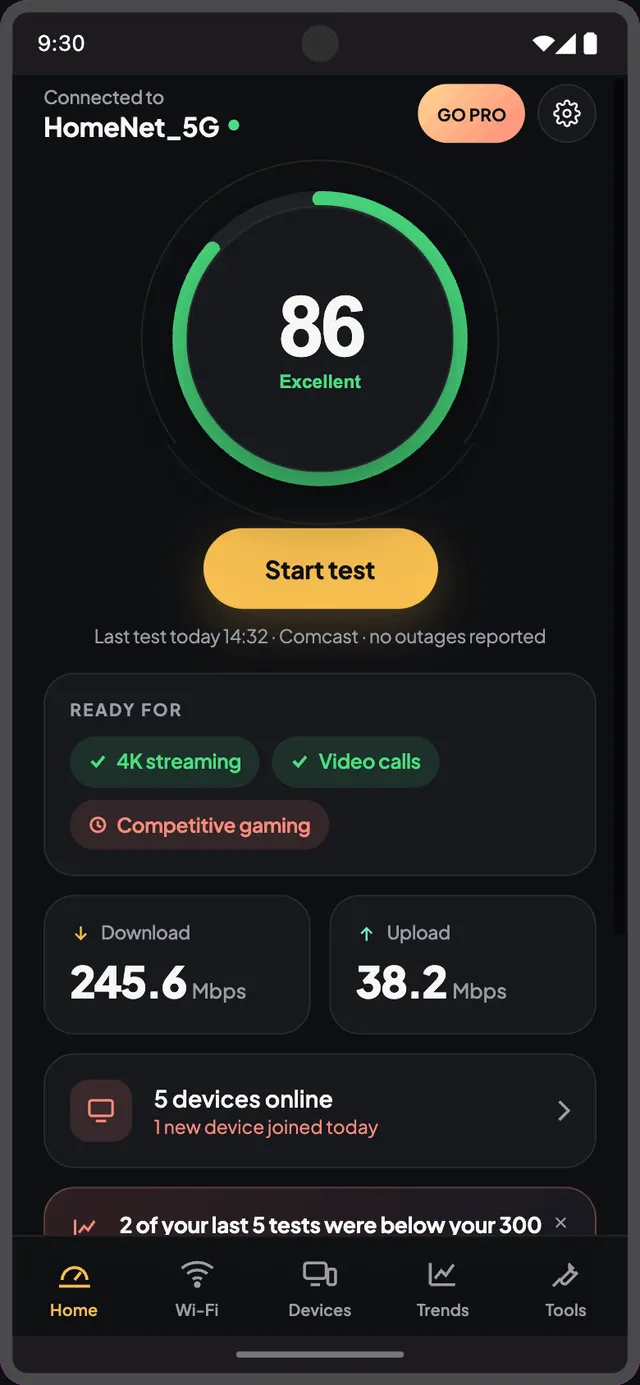
Three steps, about a minute.
Run one scan
Tap Start test. WiFiy measures download, upload, latency, jitter and packet loss, and checks the network around you at the same time.
Read the verdict
Every number comes with “What this means”: what it affects, what good looks like and whether it is the reason things feel slow.
Do the one thing
Switch channel, move closer, check a device or send your provider a report. Trends then shows whether the fix worked.
What WiFiy shows you.
Speed against your plan
- Download, upload, latency, jitter and packet loss
- A verdict against the speed you pay for
- Three pinned servers free, unlimited on Pro
The network around you
- Every access point with signal bars, dBm, channel, width, security and WiFi standard
- Every channel on 2.4, 5 and 6 GHz rated one to five stars
- Your own network updates every second
Your devices and your history
- Every device on your network, named and searchable
- Trends keeps each test against your plan
- Network tools: ping, DNS lookup, traceroute and port check on Pro
What each phone allows.
Android
Everything: speed, channels, access points, live signal in dBm, devices and trends.
iPhone
Speed, devices, trends, tools and reports work the same. Apple doesn’t let any app read signal strength, channels or nearby networks, so the WiFiy tab shows how fast your router responds instead.
Questions people ask
A person replies, usually within a couple of hours. The promise is one working day.
01What does a WiFi analyzer do?
It measures your connection and the radio environment around it: speed, signal strength, which channels nearby networks use and which devices are connected. WiFiy combines those into one verdict so you know whether the problem is the plan, the channel, the signal or a device.
02Is WiFiy free?
Yes. Speed tests, channel rating, access points, 60 seconds of live signal, the device list, trends, WiFiy reports and three pinned servers are free. Pro adds longer signal history, Room check, new-device alerts, nightly tests, the four network tools, unlimited pinned servers, CSV export and no ads, with a 3-day free trial.
03Does it work on iPhone?
Yes, with one difference. Apple doesn’t let any app read signal strength, channels or nearby networks, so on iPhone WiFiy shows how fast your router responds instead. Speed tests, devices, trends, tools and reports work the same.
04Why does a WiFi analyzer need location permission?
Android only shows apps nearby networks, channels and signal with location permission, and iPhone only shows the WiFi name. WiFiy asks for that reason only, and only while the app is open. It never reads GPS and never stores where you are.
05Do I need an account?
No. There is no account to create. Your history stays on your phone unless you export a CSV or share a WiFiy report yourself.
Scan your WiFi in thirty seconds.
Free on Android and iPhone. No account, no card.
Test your speed in the browserFree · no install · 15 s