WiFi analyzer · Android and iPhone · New 2.0Know exactly why your WiFi is slow.
One scan shows your speed, a star rating for every channel, every device on the network and where the signal dies. Plain answers, not a wall of numbers.
Free · no account neededor test your speed in the browser →
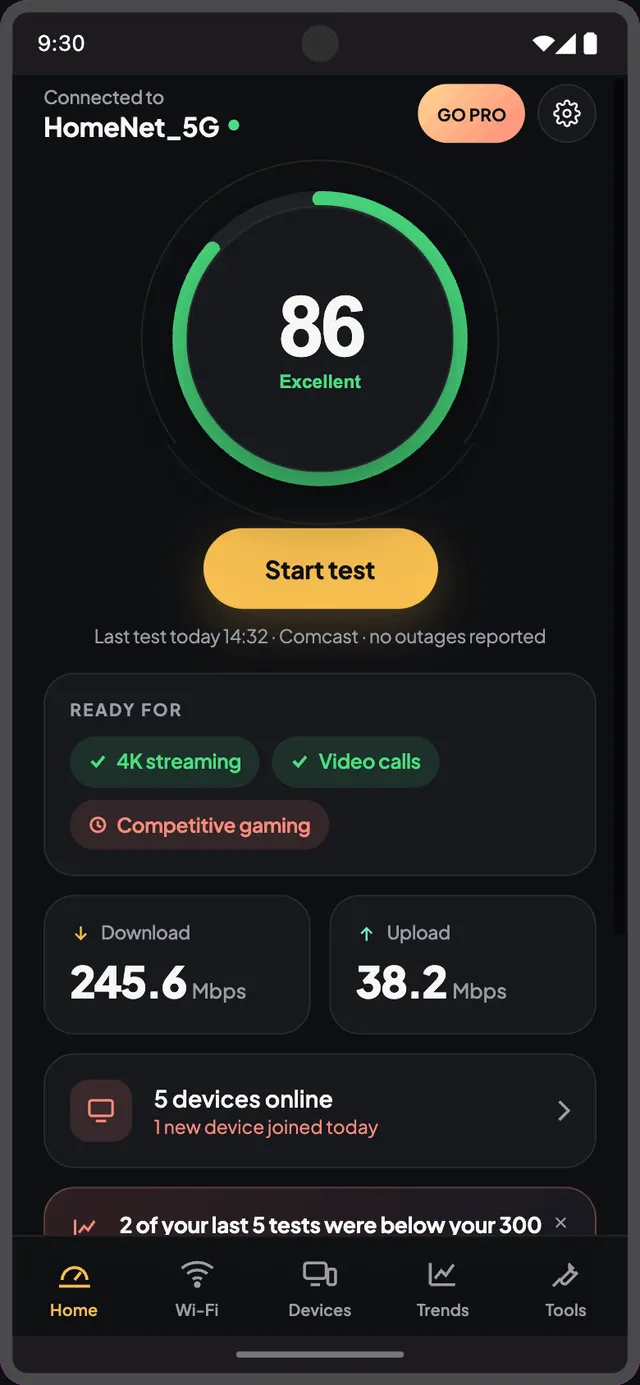
Four answers. Thirty seconds.
Each one comes with a plain-language verdict and the one thing to do about it.
Speed
Download, upload, latency and jitter against your plan. Pinned servers so you compare like with like.
Learn more →Ch 149Channel rating
Every channel on 2.4, 5 and 6 GHz rated one to five stars, with how many networks share it. Android.
Learn more →14Devices
Everything on your network, with when it was last seen. Name and type the ones you know; the rest stand out.
Learn more →−58dBmLive signal
Strength every second for each access point, graphed over time. Compare two networks and see when one drops.
Learn more →Five tabs. One question each.
Home, WiFiy, Devices, Trends and Tools. Every screen ends with what the number means and the one thing to do next.
- HomeOne score, one buttonSpeed, what it’s good for and who’s online, before anything else.
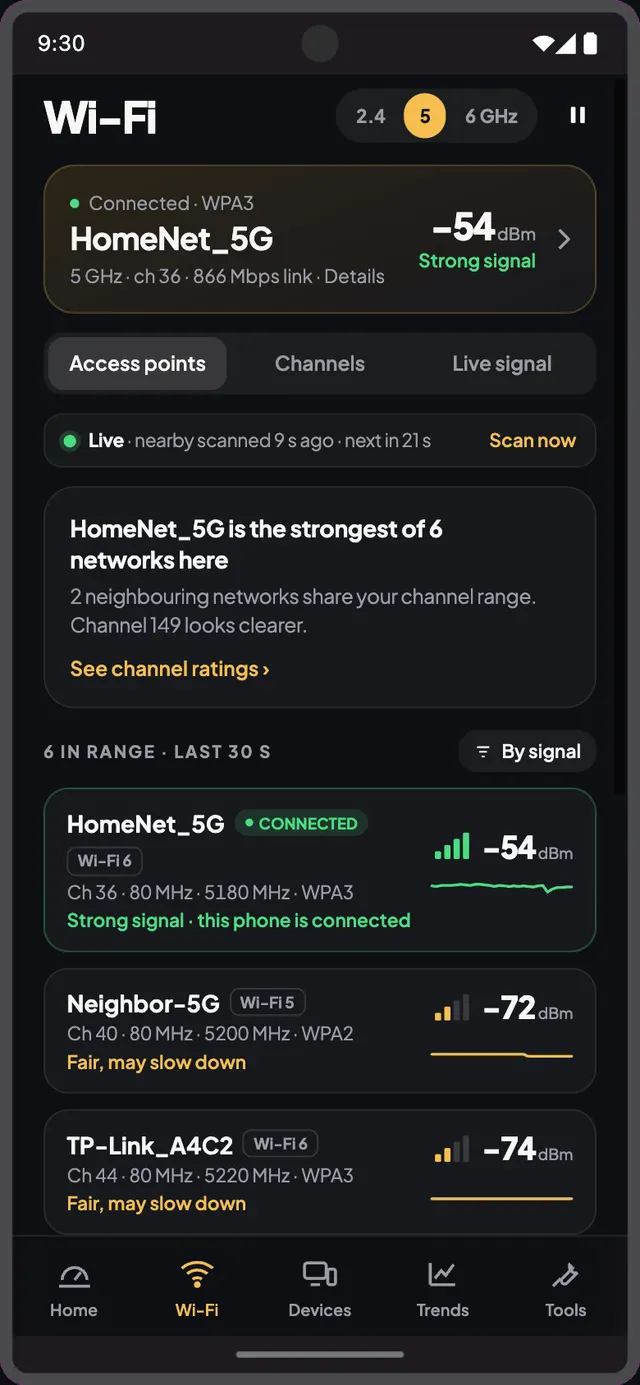 WiFiyEvery access point, liveSignal bars, dBm and a 30-second line for each network.
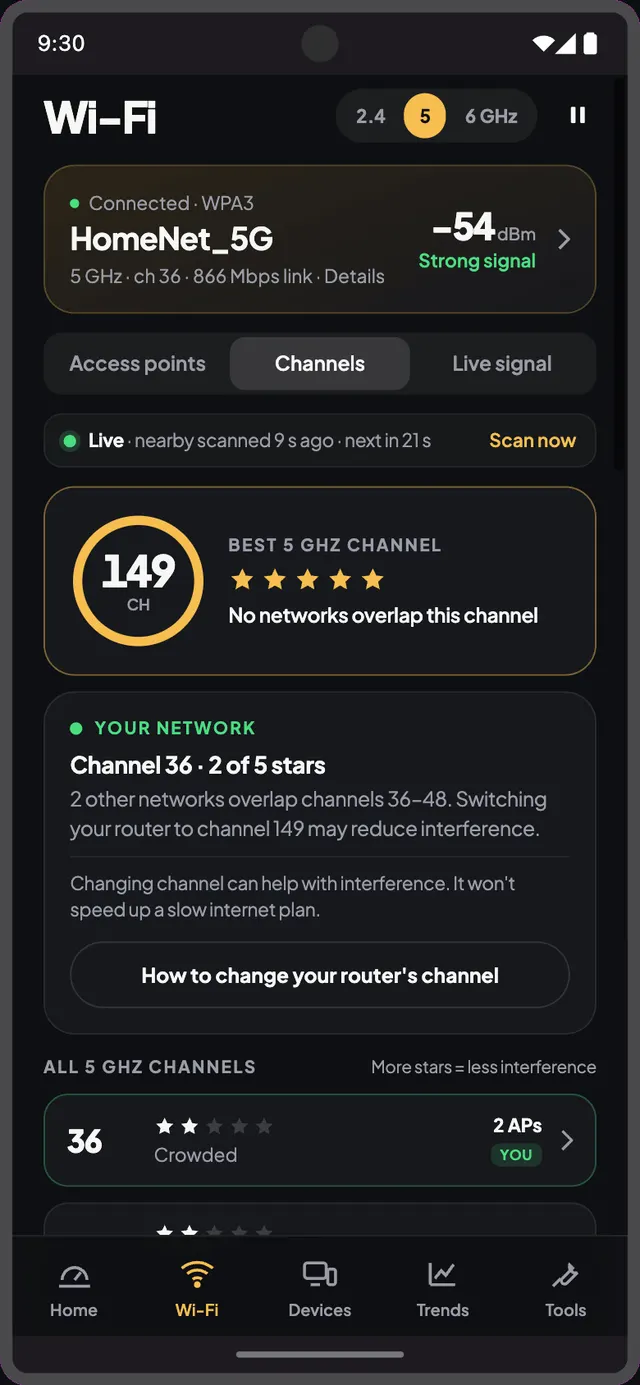 WiFiyChannels, ratedStars and network count for every channel, and how to switch.
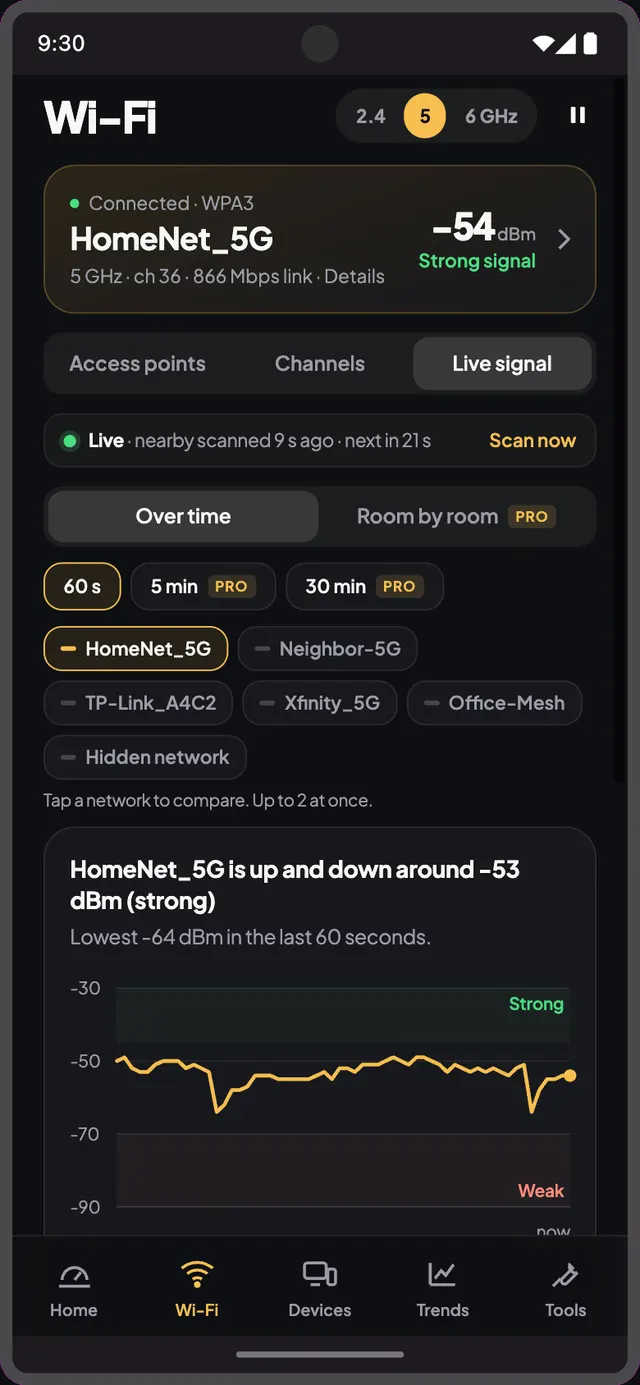 WiFiyLive signal60 seconds free. Compare two networks and catch the drop.
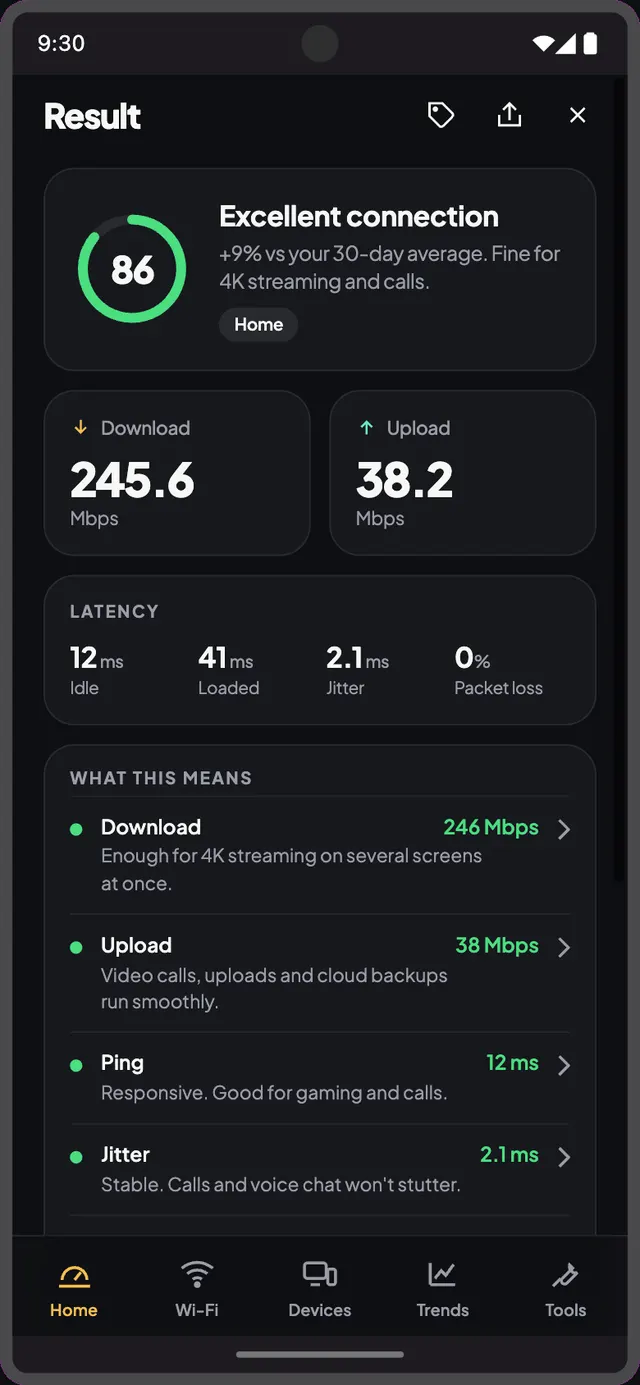 SpeedWhat this meansEvery number explained: download, upload, ping, jitter, loss.
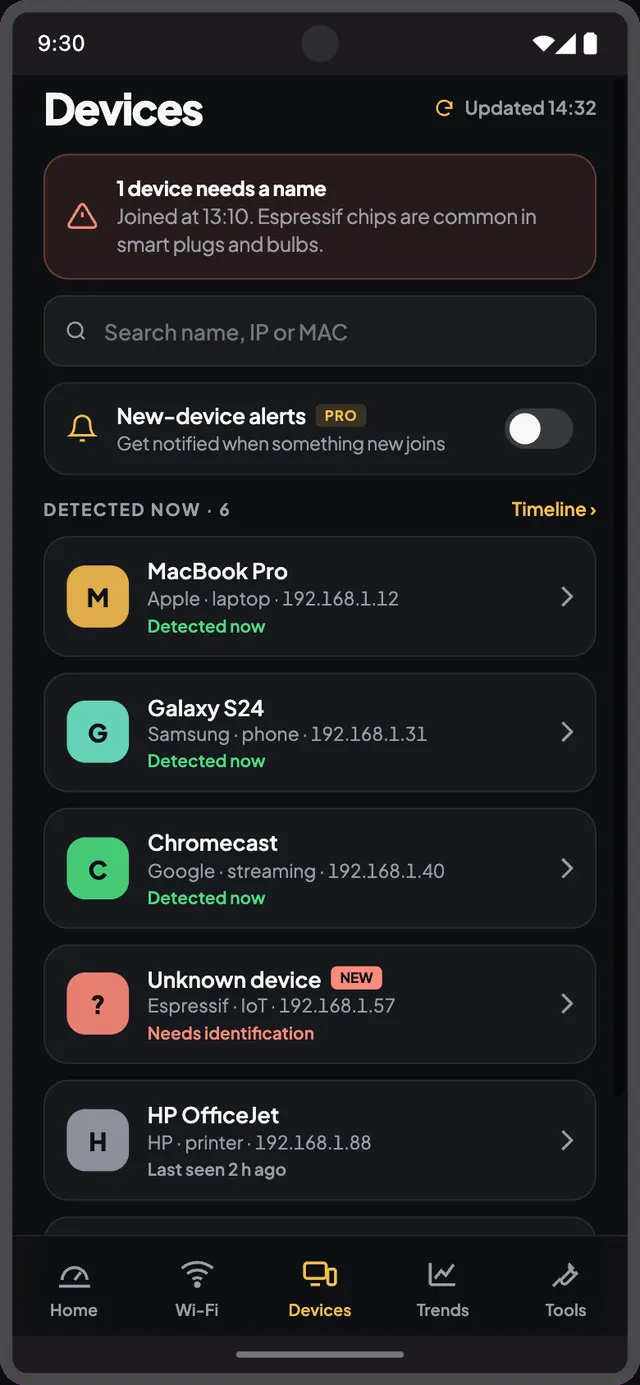 DevicesWho’s on your WiFiDetected now or last seen. Name and type what you know.
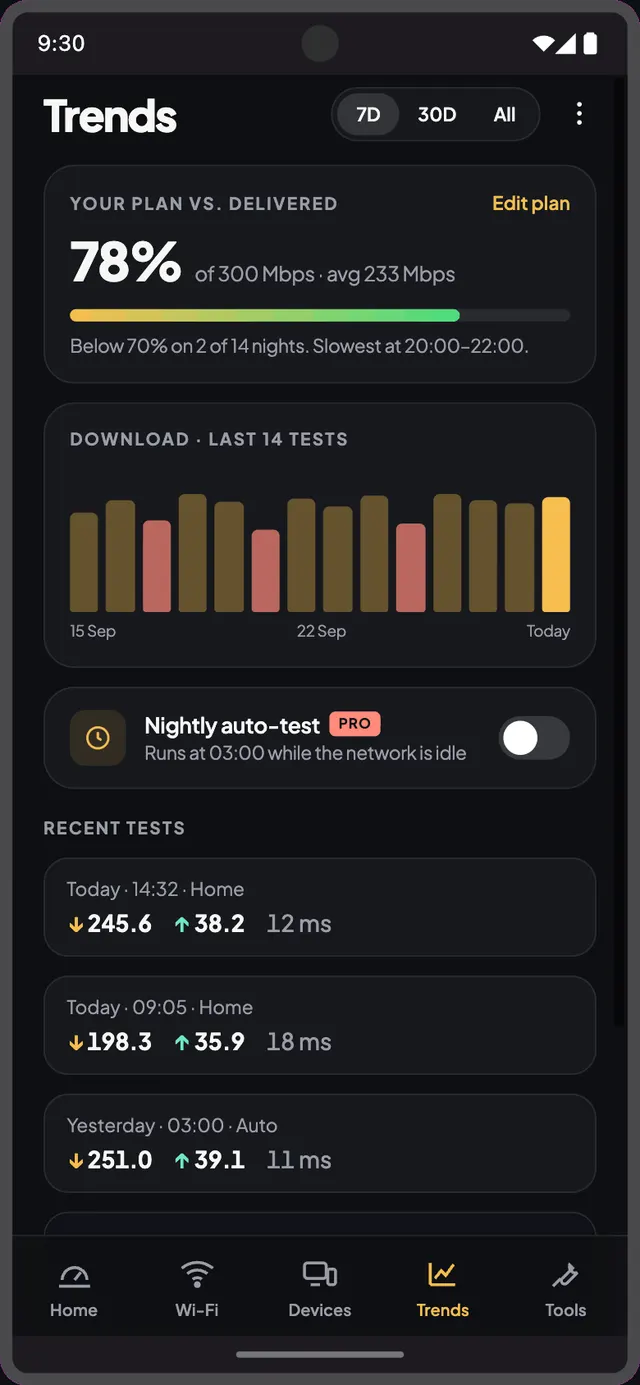 TrendsPlan vs deliveredSee if you get what you pay for, night after night.
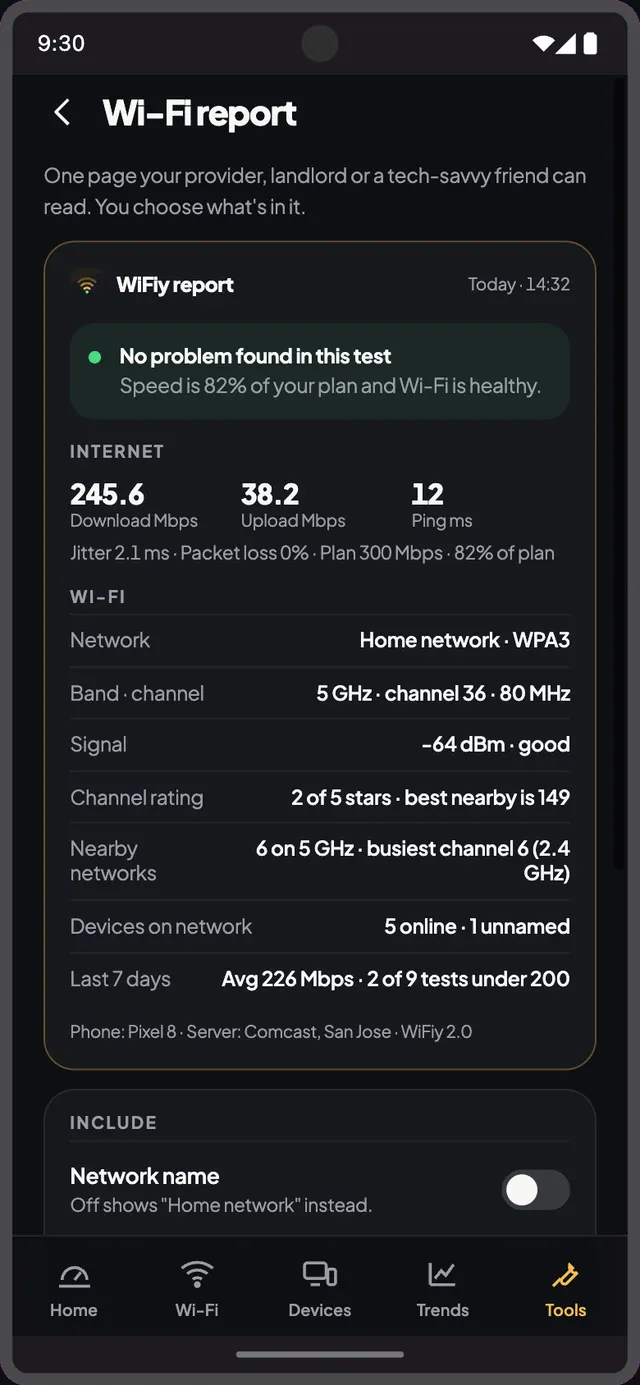 FreeWiFiy reportOne page for your provider: link, image, PDF or code.
Every access point, every channel, rated.
Access points with live signal bars. Channels with a five-star rating and the number of networks on each. Live signal to watch strength over time, then Room check (Pro) to find the dead zones.
- Always says how fresh the scan is, so a frozen number never looks live
- Step-by-step guide to change your router’s channel
- On iPhone, Apple doesn’t let apps read signal or nearby networks. WiFiy shows how fast your router responds instead.
Send your provider proof, not a guess.
One tap turns a test into a single page: speed against your plan, signal, channel, devices and the last seven days, with a plain line on what’s most likely wrong. Share it as a link, an image, a PDF or a six-letter code you read out on the support call.
- You choose what’s in it. Location, password, MAC addresses and public IP never are.
- Links expire after 7 days, or delete one any time
- Free, on Android and iPhone
WiFi signal is strong (−52 dBm), but speed is 62% of the 300 Mbps plan.
See a result before you set anything up.
Most network apps want an account and a subscription first. WiFiy runs a speed test straight away and only asks for location when you open the WiFiy tab, with the reason on screen.
Open it, tap Scan
Speed runs straight away. Channels and nearby networks need location, which Android and iPhone require for every WiFi app. WiFiy says why before the prompt.
Read the verdict
“Good for 4K”, “Channel 36 has 3 networks on it”, “1 device needs a name”. Tap any number to see what it means.
Fix it, scan again
Trends keep every result so you can see whether the new router, channel or ISP actually helped.
Everything you need to find the problem is free.
Speed tests, channel rating, access points, 60 seconds of live signal, the device list and WiFiy reports never cost anything. Pro is for people who fix networks more than once.
See all tools →5 and 30 minutes of live signal, for drops you’d otherwise miss.
Room-by-room signal with saved spots.
Know when a new device joins. A speed test every night.
Ping, DNS, traceroute, port check. CSV export.
Questions people ask
A person replies, usually within a couple of hours. The promise is one working day.
01Why does WiFiy need location permission?
Android only shows apps nearby networks, channels and signal with location permission, and iPhone only shows the WiFi name. That is the only reason we ask, and only while the app is open. WiFiy never reads GPS and never stores where you are.
02Does it work the same on iPhone?
Speed tests, results, devices, trends, tools and WiFiy reports work the same. Apple doesn’t let any app read signal strength, channels or nearby networks, so on iPhone the WiFiy tab shows how fast your router responds instead.
03Will the speed test use my mobile data?
No. Speed tests only run on WiFi. If you drop to mobile data mid-test, WiFiy stops and tells you.
04Can it see what devices are doing?
No. It lists devices on your network with their name, maker and IP. It does not and cannot read their traffic.
05Is it free?
Speed tests, channel rating, access points, 60 seconds of live signal, the device list, trends, WiFiy reports and three pinned servers are free. Pro adds 5 and 30 minute signal history, Room check, new-device alerts, nightly tests, the four diagnostics, unlimited pinned servers, CSV export and removes ads.
06Does my history leave my phone?
No. Everything stays on the device unless you export a CSV or share a WiFiy report yourself. Shared reports are deleted after 7 days. There is no account to create.
Scan your WiFi in thirty seconds.
Free on Android and iPhone. No account, no card.
Test your speed in the browserFree · no install · 15 s