WiFi dead zone finder Find the weak rooms before you buy anything.
Walk the house with live signal, save each spot and compare them again after every change, so you know what actually fixed the dead zone.
A dead zone is usually a placement problem, not a broken router.
Most WiFi complaints are about one place: the back bedroom, the garden office, the corner by the fridge. Walls, floors and appliances weaken the signal on its way there, and the room furthest from the router loses first.
The fix is often free: a different shelf, a quieter channel, a band switch. But you can only tell what worked if you measured before and after. A dead zone finder turns “it feels better” into a number for each room.
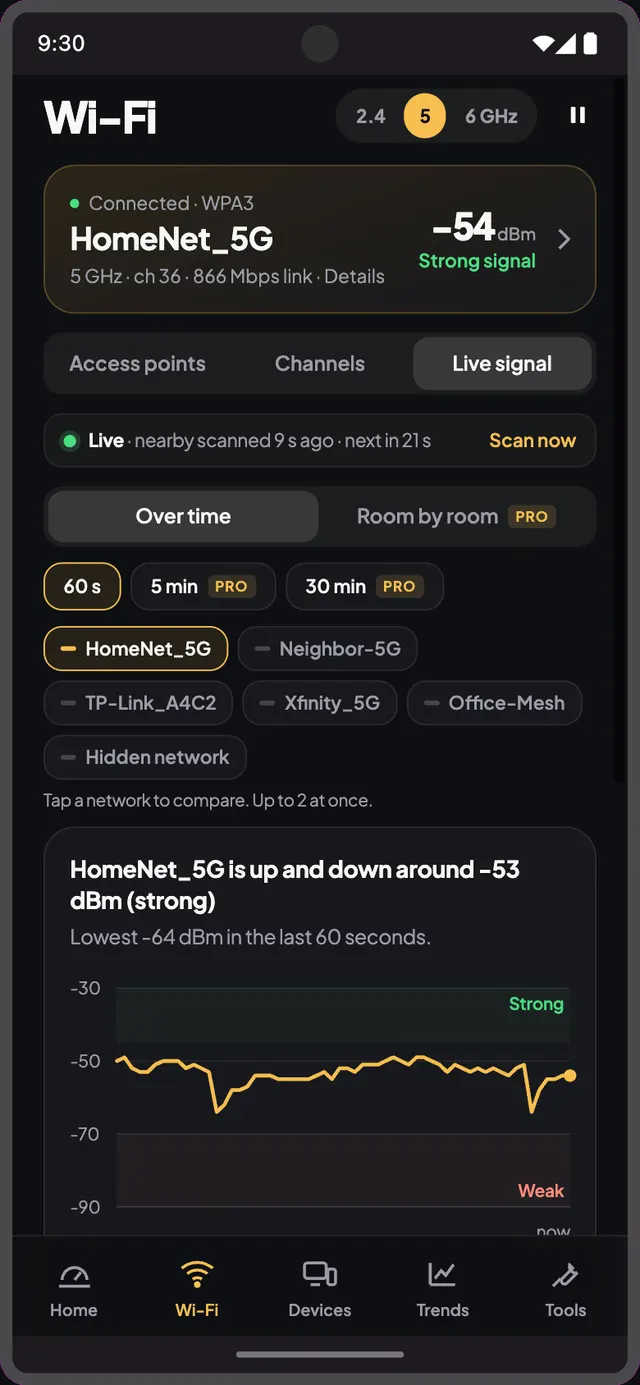
Three steps, about a minute.
Walk with Live signal
Open Live signal in the WiFiy tab and walk room to room, letting the dBm settle in each spot. 60 seconds at a time is free.
Save each spot
With Room check on Pro, save the spots that matter, such as the desk, the sofa and the bed, so you can come back to exactly the same places.
Change one thing, then compare
Move the router, change the channel or add a mesh point, then walk the same spots again and compare.
What WiFiy shows you.
Free
- 60 seconds of live signal at a time
- Signal in dBm for your network and every access point
- Speed tests in any room
Pro
- Room check with saved spots
- 5 and 30 minute signal history
- 3-day free trial in the app
What to try first
- Lift the router off the floor and out of cupboards
- Pick a quieter channel
- Add a mesh point halfway, not in the dead room
What each phone allows.
Android
Live signal in dBm and Room check with saved spots on Pro.
iPhone
Apple doesn’t let apps read signal strength, so you compare how fast the router responds in each room instead, plus a speed test in each spot.
Guides
Questions people ask
A person replies, usually within a couple of hours. The promise is one working day.
01How do I find WiFi dead zones in my house?
Walk from room to room with a live signal meter and note the dBm in each spot. Where it falls below about −70 dBm you will start to notice problems; around −80 dBm is a dead zone for calls and video.
02Do I need Pro to find dead zones?
No. Live signal is free for 60 seconds at a time, enough to walk a room or two. Room check, which saves spots so you can compare them later, is Pro.
03Will a mesh system fix a dead zone?
Often, when the house is too big or too solid for one router. Try moving the router and changing the channel first; if you do add a mesh point, put it halfway to the weak room, where the signal is still good.
04Can I find dead zones on iPhone?
Apple doesn’t let apps read signal strength, so WiFiy shows how fast your router responds instead. A room where that number jumps, or where a speed test drops, is a room the signal struggles to reach.
Scan your WiFi in thirty seconds.
Free on Android and iPhone. No account, no card.
Test your speed in the browserFree · no install · 15 s