Ping test How long a round trip takes, and how steady it is.
The test sends 30 small requests to the nearest Cloudflare location and times each round trip, then shows the median, the spread and any that failed.
Takes about 15 seconds.
Requests go to speedtest.wifiy.app on Cloudflare. Results stay in your browser; we keep no record of them.
Ping, latency and jitter
Ping, or latency, is the time a request takes to reach a server and come back, in milliseconds. Jitter is how much that time varies from one request to the next. Calls and games need both to be low: a steady 40 ms feels better than a jumpy 20 to 120 ms.
As a rough guide, under 30 ms feels instant, 30 to 60 ms is fine for calls and most games, and above 100 ms you will notice delay.
A browser ping is not the same as ICMP ping
Browsers can’t send the ICMP packets the ping command uses, so this test times small HTTPS requests instead. The numbers run a little higher than a command-line ping to the same place, but they move the same way: if this test is slow or jumpy, your calls and games will be too.
Run it next to the router and then in the room you use. If ping jumps only in that room, the cause is WiFi signal or interference, not your provider.
Ping any host from your phone
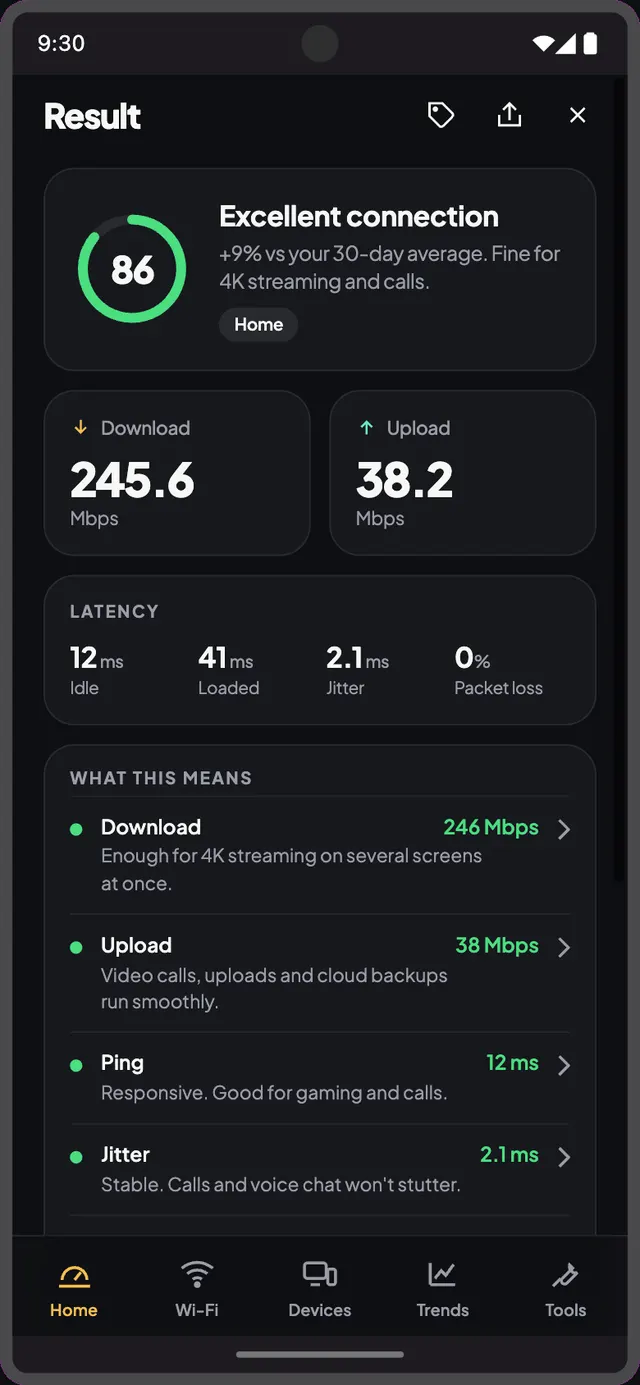
WiFiy’s speed test shows latency, jitter and packet loss on every result. Pro adds ping to any host, traceroute, DNS lookup and port check.
Questions people ask
A person replies, usually within a couple of hours. The promise is one working day.
01What is a good ping?
Under 30 ms is excellent, 30 to 60 ms is good for calls and most games, and above 100 ms you will notice delay in fast games and calls.
02What is jitter?
How much the ping varies between requests. High jitter makes calls stutter and games feel inconsistent, even when the average ping looks fine.
03Why is this ping higher than my command line ping?
Browsers can’t send ICMP ping packets, so this test times small HTTPS requests, which carry a little extra work. Compare results from this test with each other rather than with a terminal.
04Why is my ping high on WiFi but fine on a cable?
Weak signal, interference and busy channels make WiFi retry, which adds delay and jitter. Moving closer, switching to 5 GHz or choosing a quieter channel usually helps.
05Does a faster plan lower ping?
Not much. Ping depends on distance, routing and how busy your line and WiFi are, more than on your plan’s speed.
Scan your WiFi in thirty seconds.
Free on Android and iPhone. No account, no card.
Test your speed in the browserFree · no install · 15 s